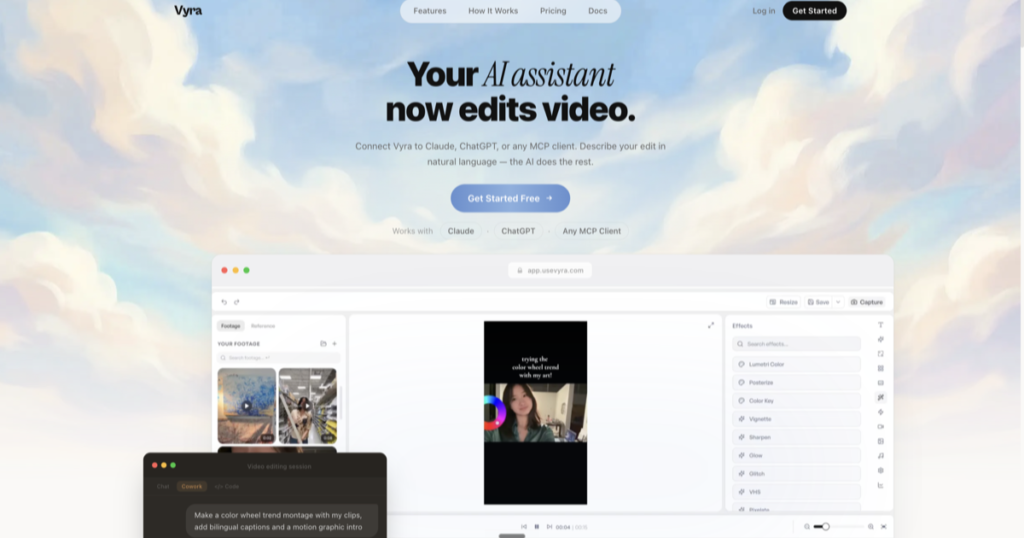
A new video editing tool crossed my radar this week called Vyra, and it’s a good example of a pattern I’ve been watching take shape across the AI tooling space: the agent isn’t a feature bolted onto the software anymore — it’s the thing operating the software.
What it actually does
Most “AI video editor” tools on the market bolt AI features onto a traditional browser-based editor: auto-captions, background removal, maybe a text-to-clip generator. You’re still the one doing the editing; the AI just assists at the margins.
Vyra’s pitch is structurally different. It connects to Claude, ChatGPT, or any MCP (Model Context Protocol) client, and instead of generating synthetic clips, the agent gets direct access to a real editing toolset operating on your actual raw footage — visual scene indexing, timeline building, motion graphics, effects, the works. You describe the edit in plain language and the agent executes it against your real timeline, then you can keep iterating by chat. There’s also a full manual editor underneath for when you want to take the wheel yourself.
By Vyra’s own comparison against more established browser-based tools, the key distinction is what their MCP connection actually gives an agent access to: not just “generate a short clip from a text prompt,” but read-and-edit access to footage you’ve already shot — cutting, syncing, captioning, custom motion graphics, and reference-style matching where you hand it a clip and say “match this pacing and look.”
Why this is worth paying attention to
I’ve been running a version of this idea for months, just custom-built rather than off the shelf: an agent-orchestrated video pipeline (Remotion for composition, ElevenLabs for narration, ffmpeg for final assembly) where the agent drives the whole process end to end instead of me operating a timeline by hand. I built that because nothing on the market did it when I needed it.
Vyra is a signal that this is moving from “thing you have to build yourself” to “thing you can just sign up for.” That’s a good problem to have — it means the market’s validating an approach worth using, and it frees up time to focus on the actual creative decisions instead of the plumbing underneath them.
The takeaway
The broader lesson isn’t “go use Vyra” or “don’t.” It’s that the shape of every one of these tools — Vyra included — is converging on the same idea: agents that operate real software with real access, not agents that generate a synthetic imitation of the output. That’s a genuinely useful direction, and it’s the same architecture worth applying to your own workflows, whether that’s video editing, spreadsheets, or anything else that currently eats your afternoon one manual click at a time.