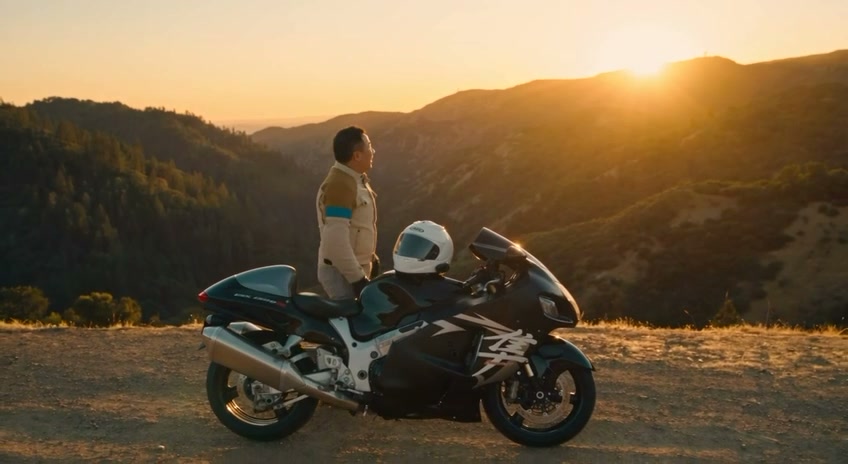
I ran a 60-second motorcycle ride video through a full AI production pipeline recently — not a single “type a prompt, get a video” tool, but a chained workflow across three different systems. It’s a good example of what building with AI actually looks like right now: multiple specialized tools, a real reference dataset, and a handful of failure modes you only find by shipping and looking closely at your own output.
Here’s the workflow, what worked, what didn’t, and why the gaps matter more than the wins.
The pipeline
Step 1 — Story and prompt structure (Claude Fable). Before touching any video tool, I used Claude Fable — Anthropic’s current top-tier model, released publicly in June 2026 — to work out the storyline and build a structured “reverse prompt” for the video generation stage. This is the part people skip: treating the creative brief as its own drafting problem before feeding anything into a generation model. Get the narrative beats right first — gear up, ride out, open highway, mountain curves, arrival at an overlook — and the downstream prompts have something coherent to execute against instead of guessing scene-by-scene.
Step 2 — Character reference sheet (RunwayML). This is where most of the actual engineering happened. I uploaded a character sheet: photos of myself from multiple angles, along with my helmet, jacket, and pants clearly shown. RunwayML’s Gen-4 References system is built exactly for this — it lets you feed in reference images to keep a subject visually consistent across totally different generated scenes, and Runway’s own documentation is explicit that reference quality drives output quality: use high-quality photos with even, natural lighting, neutral expression, and moderate detail as the cleanest baseline for the model to work from.
I also fed in an actual riding video as a motion/style reference, plus multiple angles of my own bike.
Step 3 — Generation: draft then finish (Seedance 2.0 → 2.5, inside Runway). Both models are ByteDance’s Seedance line, integrated into Runway as third-party models rather than run standalone. I drafted with Seedance 2.0 — Runway’s spec sheet lists it as a 5–15 second, multimodal (text/image/video/audio) generator with an Explore Mode built specifically for fast, cheaper iteration at 480p/720p — and finished with Seedance 2.5, the newer model that extends single-shot generation up to 30 seconds and supports up to 50 references (30 images, 10 videos, 10 audio clips) in one generation. That two-stage draft-then-finish approach mirrors Runway’s own documented guidance: iterate cheap and fast first, then commit to the higher-fidelity pass once the shot is dialed in.
Where it actually broke
Two concrete failures, both instructive:
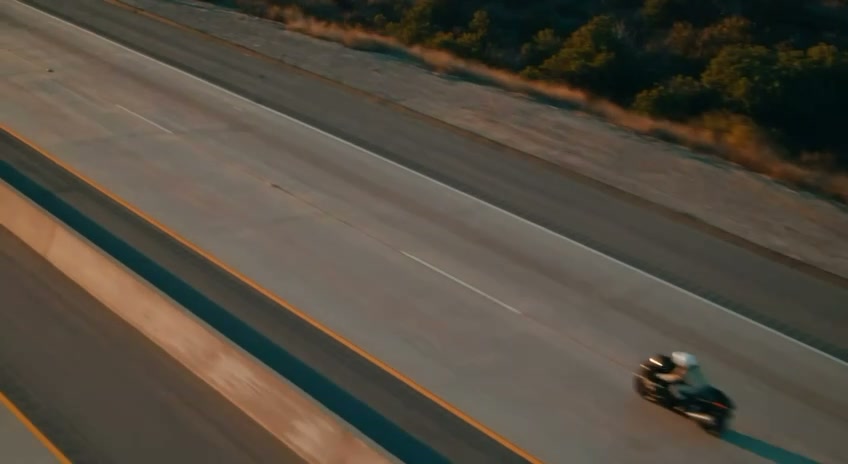
1. Missing boots. I uploaded reference photos of myself, my helmet, my jacket, my pants — and forgot my boots. The result: visible inconsistency in the footwear across the generated shots. This isn’t a minor gap — Runway’s own Gen-4 References documentation calls out this exact failure mode directly, with a tip to explicitly describe “a subject’s shoes or pants to consistently achieve a full-body shot.” Skip an item in your reference set, and the model doesn’t leave it blank — it invents something, and there’s no guarantee it stays consistent shot to shot.
Lesson: a character reference sheet needs to be exhaustive, head to toe, every time. Partial references get partial consistency. If you’re building a repeatable pipeline (which I am — this won’t be the last ride video), the fix is a checklist, not a memory.
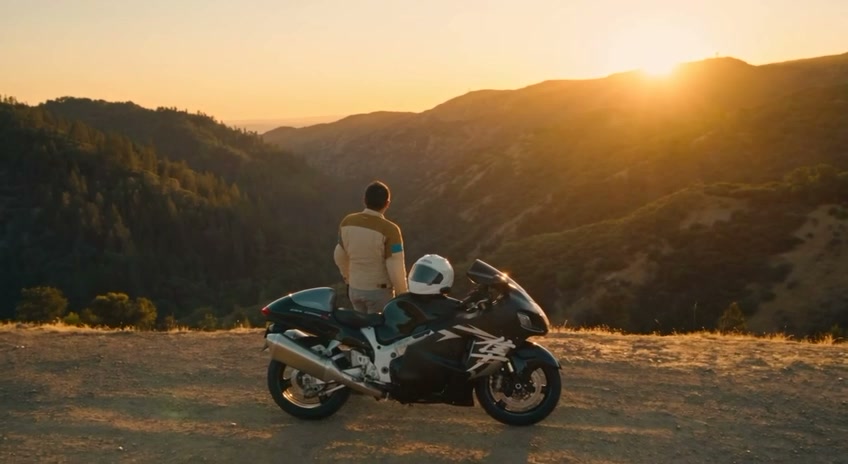
2. The bike’s back end doesn’t match. Despite feeding Runway multiple angles of my actual bike, the rear of the bike in some generated shots doesn’t match the real thing — different lines, different proportions than reality. This is a harder problem than the boots issue: a stationary reference photo set gives the model good coverage of the angles it directly saw, but it still has to infer geometry for angles or motion it wasn’t shown, and that’s exactly where it hallucinates. More reference coverage of the rear three-quarter specifically would likely tighten this up, but it’s a real limit of angle-based reference generation, not a settings mistake.
Why this is the actual story, not just “cool AI video”
The interesting part isn’t that the output looks polished — it does, and at a glance most viewers won’t clock either issue. The interesting part is that both failures trace back to reference completeness, not model quality. Seedance and Runway’s Gen-4 References performed exactly as documented; the gaps in the output map directly to gaps in the input. That’s a pattern worth internalizing for any AI generation work, not just video: the model isn’t guessing randomly when it fills a hole, it’s pattern-matching against the closest thing in its training distribution — and if your own reference data has a hole, the model’s best guess fills it with something plausible but wrong.
The practical takeaway for anyone building a similar pipeline: treat your reference set like a spec, not a mood board. Every visible surface, every angle a shot might use, gets covered — or you find out where the coverage was thin only after the render’s already cinematic and mostly convincing.
Sources: Runway’s own Gen-4 Image References guide and Seedance 2.0/2.5 model documentation (help.runwayml.com), Anthropic’s Claude Fable 5 announcement (anthropic.com/news). All workflow details above are based on my own build process, cross-checked against each tool’s published documentation — not vendor marketing claims. All images are stills from my own generated video, not stock or generated-for-this-post art.