Where Should Your AI Agent Actually Live? A Plain-English Guide to Choosing an AI Agent Hub
For about two years, the interesting question about AI agents was “how capable is it?” That question is mostly settled for a wide range of everyday work. The question I now get asked — by nonprofit directors, by school IT staff, by people who just want their inbox to stop winning — is smaller and much more practical:
Where is this thing supposed to run?
Not which model. Not which brand. Where. Because over the last few months, the significant launches haven’t been new agents at all. They’ve been new *places to put one*. I’ve been covering them one at a time as they shipped, and the pattern only became obvious once there were enough of them to line up side by side. This post is that line-up, plus the decision framework I actually use.
First, the plain-English part
An AI agent is software that can take actions on your behalf — open a page, fill a form, write a file, call another tool — not just type an answer back at you. The wrapper that gives it those abilities (its tools, its memory, its ability to take one action and then decide the next one, and the rules about what it’s allowed to do without asking) is called a harness. If that word is new, I wrote a full plain-English breakdown of it here: What Is an Agentic AI Harness?.
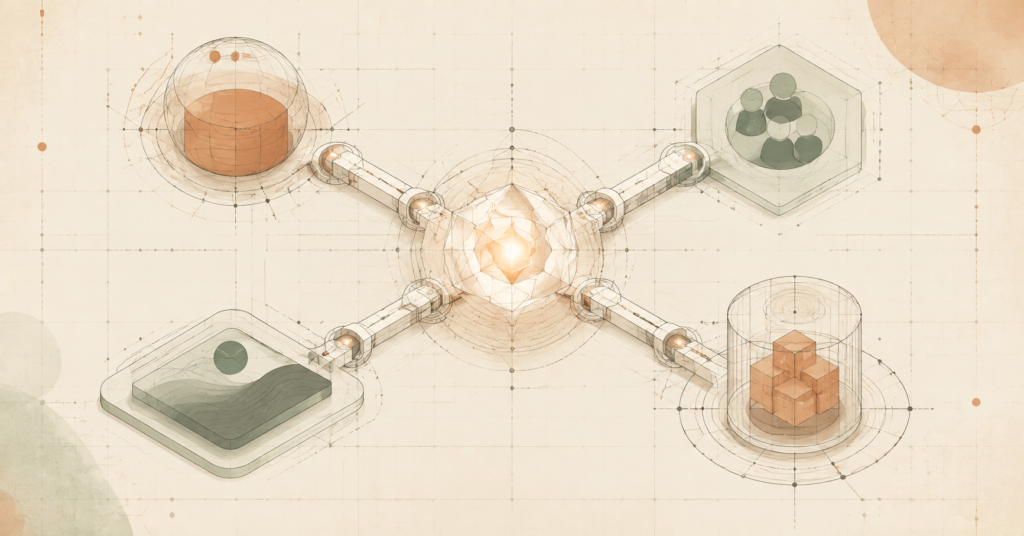
A hub, in the sense I’m using it, is the environment the agent plugs into — the software that supplies its context, its permissions, and its audience. The browser is a hub. Your team chat is a hub. Your own website can be one. So can a dedicated runtime built specifically to contain agents.
Here’s why the hub matters more than the brand name: an agent inherits the hub’s reach. Same model, same harness, four different hubs, four completely different answers to “what can this thing touch, and who would notice if it went sideways.” Choosing the hub *is* the governance decision. Most people make it by accident, by installing whatever showed up first.
Hub 1 — The browser
The one I’d point to: Claude Cowork in the Chrome side panel.
Anthropic moved Cowork — the general-audience side of Claude’s agentic tooling — into the Chrome side panel, where it can read what’s in your open tabs and act on it. Pull every open invoice across six tabs into a spreadsheet and flag what’s due this week: that’s the demo, and it’s a genuinely ordinary task that a lot of people do by hand every month.
The part worth sitting with isn’t the clicking. It’s that the session belongs to your account rather than to a window — start something on your desktop, continue it in the browser, and the history and connectors follow. Continuity is the actual product.
The trade-off is structural and it isn’t specific to Anthropic: an agent in your browser is an agent operating inside your logged-in sessions. Your email is logged in. Your payroll portal might be. The capability and the exposure are the same surface. I wrote about that at length here: Claude Cowork Now Lives in Your Chrome Sidebar.
Pricing and plan availability: claude.com/pricing.
Hub 2 — The team chat
The one I’d point to: Slack Code.
Slack Code lets AI coding agents work inside dedicated Slack channels instead of inside one person’s private tab. Someone mentions an agent in a project channel, Slack spins up a temporary code channel, and the agent posts its plan and its changes there while teammates watch, comment, or redirect it mid-task. The channel archives when the work is done and stays searchable.
The security model is the right one: agents inherit exactly the permissions of the person who invoked them — no separate bot identity, no elevated access. If you can’t see a repo, neither can the agent you summoned.
The assumption I’d stress-test is the *visibility* claim. A channel that opens, runs, and archives inside a couple of hours can complete a whole cycle without anyone but the person who started it ever looking in. Visibility that exists in principle isn’t review that happened in practice. Full write-up: Slack Just Put AI Coding Agents in Group Chat.
Pricing and plan availability: slack.com/pricing.
Hub 3 — Your own website
The one I’d point to: WebMCP.
This one inverts the question. Instead of choosing where *your* agent lives, you decide how hospitable your site is to *other people’s* agents.
Today, when an agent uses a website, it’s reverse-engineering the interface in real time — read the page, guess what the button does, click, see what changed, repeat. It mostly works, and it breaks every time you redesign. WebMCP is a proposed open web standard that lets a page hand the agent a short menu of defined actions instead: here’s a tool called submit_support_ticket, here’s what it needs, call it and I’ll hand you back a confirmation. No guessing.
It’s early — being developed through the W3C’s Web Machine Learning group, experimental in Chrome behind a flag and an origin trial, and explicitly not a finished standard. Nobody needs to rebuild a production site around it this quarter. But if you run a site with a long, fiddly multi-step form, this is the direction the traffic is heading, and “AI agents visiting your site” is about to be a use case you design for rather than a support ticket you complain about.
Cost: none to adopt — it’s an open standard, not a product. Implementation details and current browser status: Chrome’s WebMCP documentation.
Hub 4 — A dedicated runtime built to contain agents
The one I’d point to: AccuKnox AgentZ.
The three hubs above are all existing software that grew agent capabilities. This category is the opposite: infrastructure built from the start around the assumption that an agent will eventually do something you didn’t intend.
AgentZ runs each agent inside its own isolated sandbox — its own compute, its own filesystem — where you set exactly what it can read, write, reach on the network, and execute. Credentials are handed to the agent at the moment it needs them instead of being baked in. Every run produces an execution trace and an audit log, so you can reconstruct the path the agent took, not just read its final answer. It’s model-agnostic, and it ships hosted, on-prem, or air-gapped for teams that can’t put agent activity on someone else’s cloud.
Their CTO put the job description better than I would: deciding what an agent is allowed to touch, containing the blast radius when it’s wrong, and being able to reconstruct the run afterward. That’s the whole assignment for anyone running agents in an organization with real obligations.
The honest caveat is that a sandbox and an audit log are mitigations, not guarantees. They shrink the damage and make it reviewable. They don’t stop an agent from being talked into misusing access you deliberately granted it, and someone still has to correctly decide what “scoped tightly” means for each workflow. A beautifully audited mistake is still a mistake. Expect this category to get crowded fast — a lot of vendors are about to pitch you a governance layer.
Pricing and tiers: accuknox.com/pricing.
A note on scope: this isn’t only about code and chat
It’s tempting to read all of this as a developer story. It isn’t. The same pattern shows up in creative tooling — Vyra, for instance, is an agent-first video editor, where the agent drives the timeline rather than sitting beside it as a chat assistant. Not a coding agent, and I want to be precise about that: it’s the same architectural shift applied to a completely different workspace. The hub there is the timeline. I covered it here: An AI Video Editor Where the Agent Actually Drives the Timeline.
If you work in a specialized tool, assume the hub question is coming for that tool too.
Comparing the hubs
| Hub | Where the agent runs | What it can reach by default | Who can see the work | Best fit | Main trade-off | Official pricing | | — | — | — | — | — | — | — | | Browser (Claude Cowork, Chrome side panel) | Alongside your open tabs, under your account | Whatever you’re already logged into | Only you, in the moment | Individual knowledge work across web apps that have no API | Highest ambient access; your live sessions are the agent’s reach | claude.com/pricing | | Team chat (Slack Code) | A temporary channel inside your workspace | Exactly the invoking person’s permissions — no bot-level access | The whole channel, in real time | Teams that want work-in-progress visible before it lands | Visible ≠ reviewed; short-lived channels can close before anyone looks | slack.com/pricing | | Your website (WebMCP) | In the visitor’s browser, on your page | Only the actions you explicitly register as tools | The human watching the page — tools run visibly | Sites with long multi-step forms or flows agents fumble today | Experimental: behind a flag, draft standard, not production-ready | Open standard — no license cost (Chrome docs) | | Dedicated runtime (AccuKnox AgentZ) | An isolated sandbox you define | Only what you grant; credentials injected at runtime | Anyone reading the audit log, after the fact | Regulated, sensitive, or client data where you must prove what happened | Real setup cost; someone must define “tightly scoped” correctly | accuknox.com/pricing |
The framework: four questions, in this order
This is the sequence I actually walk clients through. It works regardless of vendor, and it survives the next six launches.
1. What does this task genuinely need to touch? Start from the task, not the tool. If the work only needs one SaaS dashboard, an agent with access to your entire logged-in browser is a mismatch — you’ve granted a building when the job needed a room. Most disappointing agent rollouts I’ve seen weren’t capability failures. They were scope failures in the generous direction.
2. Who is actually positioned to notice if it goes wrong? Not who *could* see it — who will. A private browser session has an audience of one, distracted. A team channel has an audience of many, none of whom are assigned. An audit log has an audience of zero until someone goes looking. Every hub answers this differently, and none of them answer it by default. Pick the hub whose oversight model matches a person you can actually name.
3. How much should it ask before acting? Here’s the counterintuitive part, and it’s the best-evidenced claim in this post. When Anthropic studied permission prompts in Claude Code with over a thousand paid professional testers, humans reviewing prompts caught a planted dangerous command 13.6% of the time. The automated classifier caught it 89% of the time. Human catch rates got *worse* deeper into a session — from roughly 17% early on down to about 5% after fifty-plus prior prompts. Meanwhile, users approve 97% of individual permission prompts, but reject 39% of full plans presented for approval.
Same people. Wildly different scrutiny, driven entirely by how the decision was framed. Constant approval prompts aren’t a safety control; they’re a control that trains people out of reading. If you’re designing an agent workflow, put the human review at the *plan* — once, with context — not at every step. I unpacked the full study here: Claude Code Just Turned Off the Permission Prompts.
4. Can you reconstruct the run afterward? Not “did it work” — *what path did it take*. This is the question that separates a pilot from a production system, and it’s the one that determines whether an incident is a two-hour investigation or a two-week one. If a hub can’t answer it, that’s fine for low-stakes work and disqualifying for anything near regulated data.
Where I’d start, given a typical situation
- **One person, ordinary web work, nothing regulated** → the browser hub. Use a low-access account first and watch what it does before it touches anything financial.
- **A team that keeps getting surprised by finished work** → the chat hub. The visibility is real; just assign a specific person to look, because the tool won’t.
- **You run the website other people’s agents will visit** → track WebMCP, don’t build on it yet. Revisit when it clears the origin-trial stage.
- **Client data, student data, health data, or anything a regulator can ask about** → the runtime hub, first, before any of the others. Scope and reconstruction have to exist before the convenience does.
The balanced view
I want to be even-handed here, because the governance framing can read as skepticism and it isn’t. Every hub in this comparison represents a genuine improvement over what it replaced. The browser hub replaces copying data between tabs by hand. The chat hub replaces the two-hour private session that surfaces as a surprise. WebMCP replaces guess-and-click with a defined contract. The runtime hub replaces “we think it only touched the test bucket.”
None of the vendors here are selling something reckless, and each has made a defensible design choice. What none of them can ship is the part that stays yours: deciding what the agent should be allowed to reach, and naming the person who looks. That’s not a gap in the products. It’s the part that was always going to be the customer’s job, and the tools have finally gotten good enough that it’s the binding constraint.
FAQ
What is an AI agent hub? The environment an AI agent plugs into — your browser, your team chat, your own website, or a purpose-built runtime. The hub supplies the agent’s context, its permissions, and its audience, which is why it shapes risk more than the choice of model does.
Do I have to pick just one? No, and most people won’t. It’s common to use a browser hub for personal work and a contained runtime for anything touching sensitive data. What matters is that each one is a deliberate choice with its own scope, not four overlapping tools that accumulated by default.
Is an agent in my browser safe? It’s as safe as the accounts you’re logged into while it runs. The practical move is to start it in a low-access profile with nothing sensitive signed in, watch what it actually does for a few real tasks, and expand from there.
Do I need WebMCP on my website right now? No. It’s an early open standard, still experimental in browsers. It’s worth understanding and worth designing toward, but it isn’t a production dependency this quarter.
What should I ask a vendor selling me an agent product? Two questions cover most of it: what can it touch, and can you show me exactly what it did. If the demo answers the first and dodges the second, you’ve learned something useful.
The takeaway
The agent isn’t the decision anymore. The hub is. Capability has commoditized faster than anyone’s governance has, which means the differentiator in 2026 isn’t which model you picked — it’s whether the place you put it matches the sensitivity of the work, and whether a specific human is positioned to catch a problem before it ships.
That’s the lens I’ll keep applying as more of these launch, and there will be more: not the feature list, but what each one reveals about where access, oversight, and accountability are actually heading.
—
*Sources for this post were verified against each vendor’s primary announcement and documentation before writing. Pricing is intentionally not quoted here — plans change; use the official links above.*