Context
The goal was simple: give an AI agent the ability to write a blog post and publish it to a live WordPress site without any human clicking through a browser. Draft to live in one command.
What actually happened was a two-hour debugging session that produced a working pipeline — and five distinct lessons about the gap between “this should be easy” and “this actually works.”
What We Built
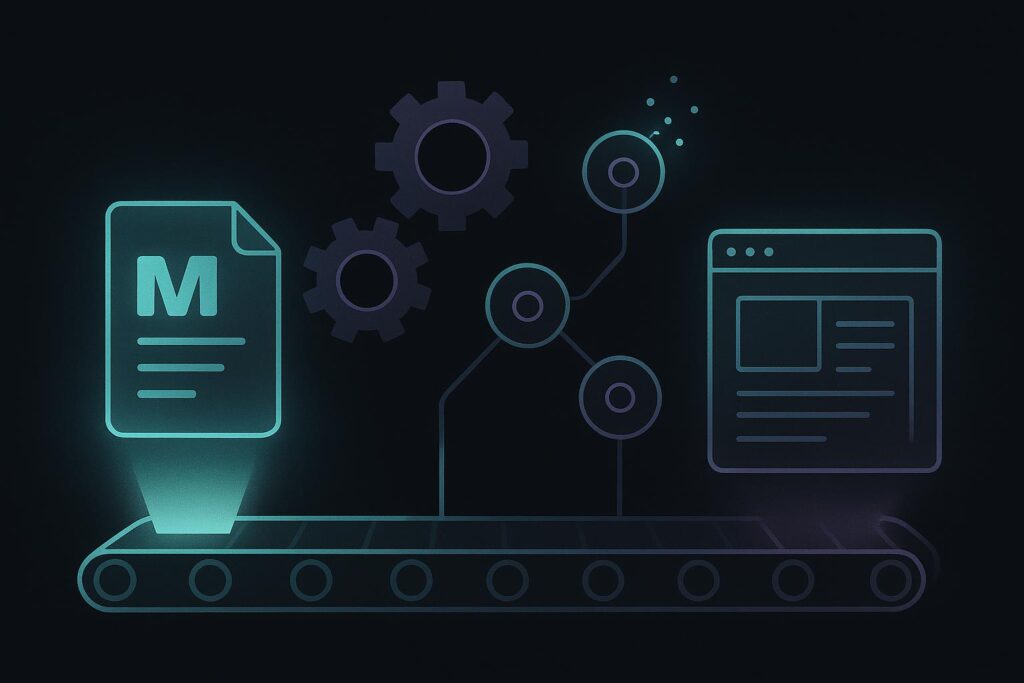
The architecture is straightforward:
1. AI drafts a post in Markdown, saves it locally
2. Markdown is uploaded to the server via SCP
3. A Python script on the server converts Markdown to HTML and calls WP-CLI to publish
4. WP-CLI creates the post directly in WordPress via the database — no browser, no API auth. (Note: In a hardened production setup, the REST API with application passwords is preferable — more auditable and easier to revoke access.)
The finished pipeline runs end-to-end from a single command. The agent writes, converts, transfers, and publishes. Human role: approve the draft before it goes.
That’s the clean version. Here’s what the path to get there actually looked like.
What Broke (or Almost Broke)
1. The WordPress Application Password Didn’t Exist
The obvious first approach was the WordPress REST API with an Application Password. Clean, standard, well-documented.
Except Application Passwords weren’t visible in the WordPress admin. Either a security plugin was suppressing them or the feature wasn’t enabled. We spent time trying to diagnose it before deciding to route around it entirely via SSH + WP-CLI. The historical account does not establish that an alternative route was authorized.
Lesson: If an integration is unavailable, establish why before choosing another route. An alternative administrative method is appropriate only when it is authorized and does not circumvent an intentional security restriction. Keep draft creation and publication authority separate, use least privilege and retain an audit trail.2. SSH Was on a Non-Standard Port
Port 22 timed out. The server wasn’t listening there. Shared and cloud hosting environments routinely move SSH to non-standard ports as basic security hygiene — but it’s not always prominently documented.
We scanned common alternate ports and found it on a non-standard SSH port. Five minutes of port scanning saved a long support ticket.
Lesson: Confirm the documented SSH endpoint with the hosting provider. A nonstandard port is not a substitute for authentication, access controls or patching. Any diagnostic scanning must be within an authorized scope.3. The CLI PHP Version and the Web PHP Version Were Different
This one is a classic that still catches people. The server’s web environment was running PHP 8.x — confirmed by the live site functioning correctly. The CLI default was PHP 7.2. WP-CLI runs in the CLI environment.
So when WP-CLI tried to load WordPress, it hit plugins with syntax that PHP 7.2 couldn’t parse — a legitimate PHP 8.x feature that looks like a syntax error to older versions. WordPress reported a “critical error.” Everything looked broken. Nothing was actually wrong with WordPress.
The fix: explicitly specify the PHP 8.x binary when invoking WP-CLI.
“`bash
/path/to/the correct PHP binary /path/to/wp-cli –path=/path/to/wordpress post create …
“`
Lesson: On shared hosting, always confirm which PHP version your CLI is running vs. which one the web server uses. They are often different. When using WP-CLI, prefix with the correct PHP binary explicitly.4. Shell Escaping Made Inline Post Content Impossible
The initial approach was to pass the HTML post content directly as a shell argument to WP-CLI. This works for short strings. It falls apart completely for 7,000 characters of HTML containing quotes, apostrophes, angle brackets, and special characters.
Every approach to escaping that content inline — double quotes, single quotes, heredocs — introduced a new class of problem. The content got mangled, truncated, or caused syntax errors in the shell.
The fix: write the content to a temp file on the server, then have the Python script pass it programmatically via `subprocess` rather than through a shell string. Python’s `subprocess` module passes arguments as a list, bypassing shell interpretation entirely.
Lesson: Never try to pass large, complex content through a shell string. Write it to a file or pass it programmatically. Shell escaping at scale is a maintenance nightmare.5. `/tmp` on Your Local Machine Is Not `/tmp` on the Server
An early version of the script wrote the converted HTML to `/tmp/post.html` and then tried to use it. The file existed locally. The WP-CLI command ran on the server. The server had no `/tmp/post.html`.
This is obvious in retrospect. It’s easy to lose track of execution context when you’re moving quickly between local scripts and remote commands.
Lesson: When working across local and remote environments, be explicit about where every file lives at every step. Draw the boundary clearly before you start.What We Learned
The “simple” path is often blocked. Application Passwords, standard SSH ports, default PHP versions — any of these might not be what you expect. Establish the cause and authorization before using a fallback. Python’s subprocess is the right tool for complex server-side automation. Shell scripts are fast to write and fragile at scale. Python with subprocess passes arguments cleanly, handles content of arbitrary length and complexity, and gives you real error handling. AI-to-server pipelines need explicit version pinning. PHP version, WP-CLI version, Python version — every layer of the stack needs to be explicit, not assumed. Assumptions fail silently in production and loudly at the worst time.What We Changed
- Dropped the REST API approach entirely — SSH + WP-CLI is more direct and more powerful
- Moved all content passing to a Python subprocess call instead of shell strings
- Pinned the PHP binary explicitly in all WP-CLI invocations
- Stored SSH host, port, PHP path, and WP path in long-term memory so the pipeline is reproducible across sessions
Takeaways
- Confirm the authorized SSH endpoint with the hosting provider before diagnostics.
- Always check CLI vs. web PHP version on shared hosting. They are often different.
- Pass complex content via file + subprocess, not shell string interpolation.
- `/tmp` is local. Always know which machine your commands are executing on.
- Do not work around an intentional security restriction. Establish authorization for any alternative route.
- The pipeline that works is the one you can reproduce tomorrow from memory (or from documented config). Write it down.
The larger lesson: A draft-first publishing pipeline is not about automation — it is about designing the right approval gate. The AI stages; the human ships. Every breakage in this build was a lesson about where that boundary needs to be enforced technically, not just as a convention.
The larger lesson: A draft-first publishing pipeline is not about automation — it is about designing the right approval gate. The AI stages; the human ships. Every breakage in this build was a lesson about where that boundary needs to be enforced technically, not just as a convention.
Related notes:
Correction — September 10, 2026: replaced integration-bypass and port-scanning advice with authorization and endpoint-verification requirements. The historical account remains subject to source verification.